Audio capture consent management
Audio capture (voice dictation) is the function that lets you speak into Lumos to generate findings via automatic transcription. It is the only case in Lumos where data transits through a foreign vendor in real time, and it is also the only element that requires explicit consent from you. This page explains how it works, how to manage your consent, and your responsibilities toward people present.
Why specific consent
Audio capture:
- Transmits the sound of your voice to OpenAI’s API (United States), which transcribes it via the Whisper model.
- OpenAI may retain the recording for up to 30 days for service abuse detection purposes.
- Lumos retains the original sound for a maximum of 7 days (or until finding validation, whichever comes first), then deletes it.
Because this is a transfer to a foreign third party, Lumos asks for your explicit consent before first use. All other Lumos functions can be used without voice dictation.
The Privacy page in the app
Settings > Privacy. There you find:
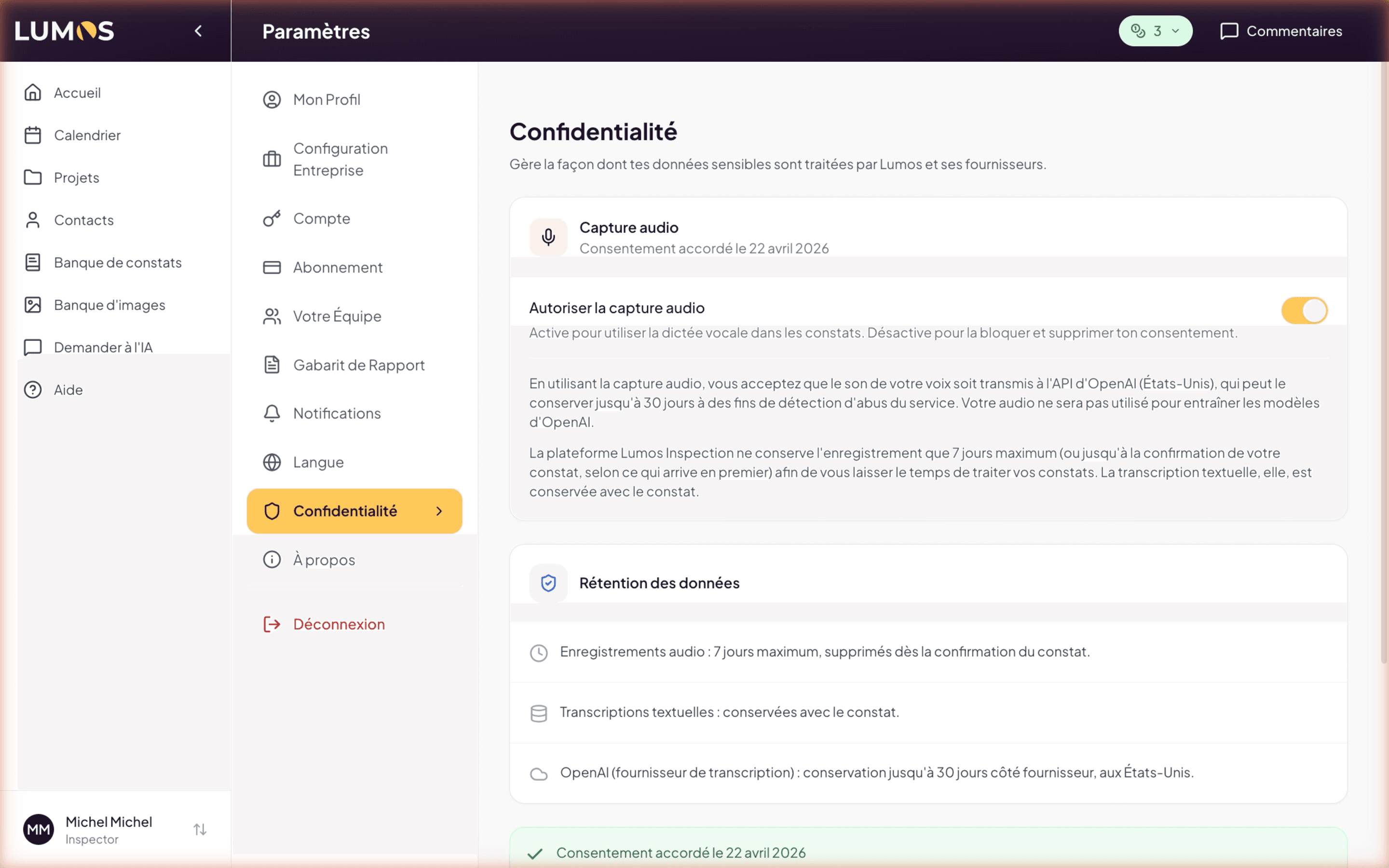
Audio capture block
- Title Audio capture
- Date of your current consent (e.g. “Consent granted on April 22, 2026”)
- Allow audio capture toggle — ON by default when you have consented, OFF otherwise
Information text:
By using audio capture, you accept that the sound of your voice be transmitted to OpenAI’s API (United States), which may retain it for up to 30 days for service abuse detection purposes. Your audio will not be used to train OpenAI models.
The Lumos Inspection platform retains the recording for a maximum of 7 days (or until your finding is confirmed, whichever comes first) to give you time to process your findings. The text transcription, however, is kept with the finding.
Data retention block
Visual recap of durations:
- Audio recordings: maximum 7 days, deleted upon finding confirmation.
- Text transcriptions: kept with the finding (as long as the report is active).
- OpenAI (transcription provider): retention up to 30 days on the vendor side, in the United States.
Legal documents block
Links to the full Privacy Policy and Terms of Use.
Granting or withdrawing your consent
First activation
Before your very first use of voice dictation (on a fresh account), Lumos shows you a consent screen that recalls:
- OpenAI processing (Whisper transcription)
- Place of processing (United States)
- Applicable retention (7 days on the Lumos side, 30 days on OpenAI side)
Your consent is recorded with timestamp.
Withdrawing your consent
At any time:
- Open Settings > Privacy.
- Disable the Allow audio capture toggle.
Immediate effects:
- Voice dictation is disabled in the inspection editor.
- No new recording is transmitted to OpenAI.
- Other features of Lumos remain accessible normally.
Your initial consent stays recorded. Once given the first time, the full consent screen does not reappear when you toggle off and on again. To formally revoke your consent (beyond the toggle), contact us via the details in the Privacy Policy .
Your inspector responsibility
You are responsible for informing people present during the inspection that their voice may be captured by your microphone and transcribed by a third-party AI.
When you dictate on site, your microphone may capture in the background the voice of your client, the seller, the broker, or any third party present. Lumos provides the tool; communication with people present is your responsibility.
Best practice
At the start of the inspection, simply mention out loud to people present:
“I’m going to use voice dictation to enter my observations. My voice and possibly yours may be captured and transcribed by an automated service. If you’re not comfortable with that, let me know and I’ll switch to text input.”
It’s quick, transparent, and aligned with the spirit of Law 25 on informed consent.
When to use voice dictation
Typical use cases
- In the field, hands occupied (ladder, lamp), to quickly capture an observation.
- At the start of a finding, to lay out a draft description that you edit afterwards.
- To transcribe voice notes taken separately (audio memo on your phone, dictated later in Lumos).
When to prefer text input
- Inspection in the presence of third parties who do not consent to being recorded.
- Noisy environment where transcription would be unreliable.
- Precise technical findings where you want to choose your words carefully.
See also
- Overview
- AI and data
- Privacy Policy — section 4 AI and data (full legal document)
- Chapter 7 — The inspection editor — to use voice dictation in practice