Account
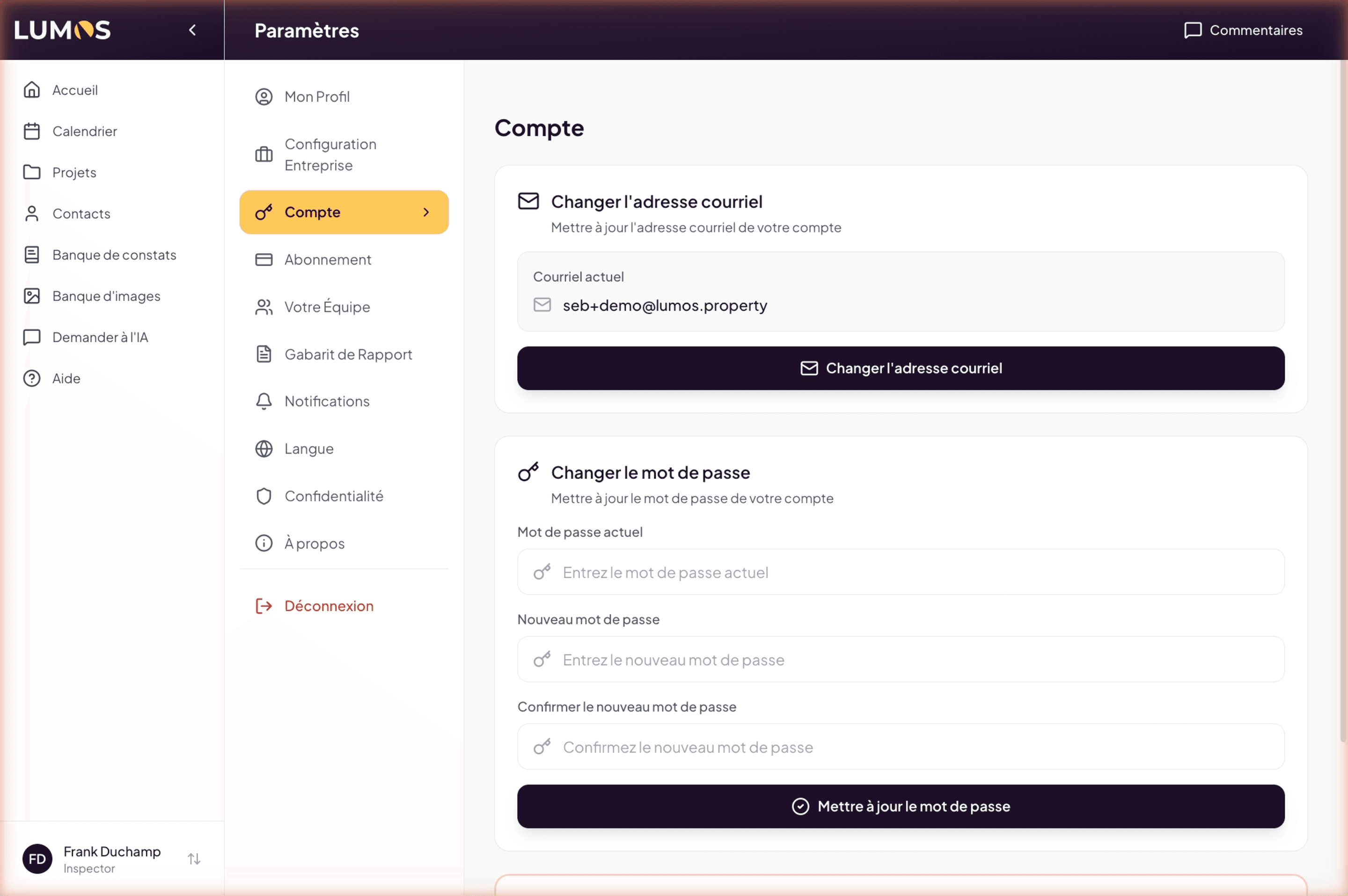
The Account page in Settings groups the identity security parameters: login email, password, and account deletion.
It is short. It is also the only page where some actions are irreversible, so be careful.
Change email address
This section displays your current email, the one you use to sign in, and a “Change email address” button.
The address in question is distinct from the professional email that appears on your reports. The latter is edited in My Profile > Personal.
Change password
To change your password, enter:
- Current password
- New password
- Confirm new password
Then click “Update password”.
If you have forgotten your current password, sign out and use “Forgot password” on the sign-in page. This page does not allow changing the password without knowing the previous one.
Delete account
The Delete my account button, at the bottom of this page, opens a window that sums up what will happen and what is best done first. Type “delete” to confirm.
Before closing
- Download the archive of your projects: PDF reports, photos and data, from the Projects page (Export button). See Project backup.
- Keep your invoices: you must keep them for 6 years for tax purposes. See Invoice archive.
- Let your clients know if their inspection is in progress or upcoming.
The window also asks, optionally, why you are leaving. Your answer helps us improve Lumos.
What happens when you confirm
- Your subscription is cancelled right away, with no refund for the current period.
- You are signed out and can no longer sign in, on the web or in the Lumos Capture app.
- Your clients keep read access to their reports and documents for 90 days. They receive an email telling them so and inviting them to download their report as a PDF. During that time, they can no longer sign or upload documents.
- After 90 days, all your data is permanently deleted: projects, reports, photos, invoices and agreements.
- You receive a confirmation email with the deletion date and what to do if you change your mind.
If you are a team member, your projects, clients and inspections stay with the team. If you own a team that still has members, hand the team over to a member or remove them first: deletion is refused while any remain.
Changed your mind? During the 90 days, write to support@lumos.property: we can reopen your account. The cancelled subscription is not restored; you can subscribe again.
Free account unused for 12 months
A free account (no subscription and no credit purchase) that goes unused for 12 months is closed automatically. Paid accounts are never affected.
- 30 days before, you receive an email announcing the closing date, then a reminder 7 days before.
- To keep your account, simply sign in before that date, on the web or in the Lumos Capture app. Any sign-in cancels the closure.
- If you no longer need it, download your projects archive before that date. See Project backup.
Once closed, the account follows the same rules as a deletion: your clients keep read access for 90 days, then everything is deleted. During those 90 days, write to support@lumos.property to get it back.
See also
- My Profile — to change the professional email that appears on your reports
- Subscription — the next step
- Cancellation — to cancel the subscription without deleting the account