Getting started with Lumos — choose your plan
This page describes the typical journey of a new inspector in Lumos: use the 3 free inspections to test, then choose between per-unit purchase or the Pro plan, and finally how to switch between plans as your activity evolves.
Step 1 — The 3 free inspections
At account creation, you get 3 free inspections. No credit card required. You access all Lumos features during this period:
- Project and inspection creation.
- Full Narrative Bank (system and personal).
- Default BNQ Report Template.
- PDF and interactive report generation.
- Delivery to client.
- Field capture via Lumos Capture .
- All AI functions, unlimited.
This is the chance to use Lumos on three real cases to form an opinion before choosing a plan.
Conditions
- The 3 inspections must be used within 3 months of your account creation.
- Beyond the deadline, unused inspections are lost.
- Creating an inspection and entering your findings is free. A credit is consumed the first time the inspection produces a report — generating the PDF, printing, or sharing the client report. Once the credit is consumed, regenerating or resharing that inspection’s report costs nothing more.
Counter visible in the header
As long as you are on the Starter plan, the app header displays a counter of remaining inspections in your bank. It is your main indicator to track consumption.
When the counter goes down, it is time to think about what’s next.
Step 2 — After 3 inspections, two options

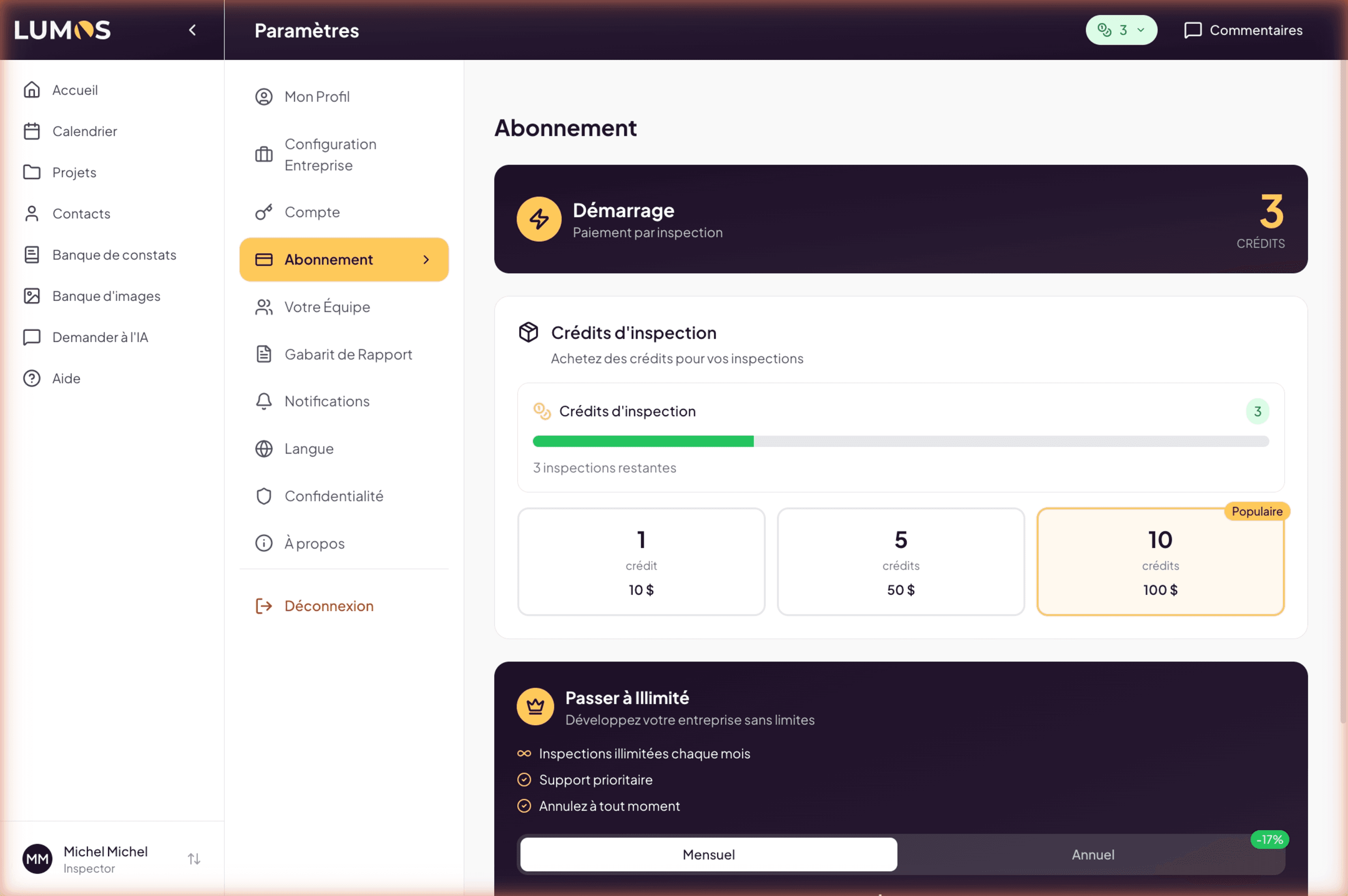
Option A — Continue with per-unit purchases
If you are at low volume (less than 11 inspections per month), per-unit purchase remains most economical.
From Settings > Subscription, you can buy:
- 1 inspection at $10.
- 5 inspections at $50.
- 10 inspections at $100.
Purchased inspections add to your bank and do not expire. The counter in the header updates accordingly.
Best for:
- Part-time or seasonal inspection work.
- Wanting to test more before subscribing to a recurring plan.
- Billing your inspections anyway — the $10 inspection cost is marginal in your pricing.
Option B — Move to the Pro plan
If you do more than one inspection per week (about 4-5 per month), Pro quickly becomes more advantageous. The break-even point against per-unit purchase is 11 inspections / month ($110).
From Settings > Subscription, choose:
- Pro monthly at $110/month — flexible, cancellable anytime (end of period).
- Pro annual at $1,100/year — ~16% savings, 12-month commitment.
The plan activates immediately after Stripe payment confirmation. Your remaining-inspections counter disappears from the header (since you have unlimited).
Best for:
- Regular activity (≥ 4 inspections / month).
- Wanting to stop thinking about the counter.
- Wanting maximum AI features available.
Step 3 — Plan evolution over time
Your activity changes over time. Here is how Lumos adapts.
Move from Starter to Pro
From Settings > Subscription, select the Pro plan (monthly or annual). Effects:
- Immediate activation after payment.
- Your already-purchased inspections stay in your bank (you can use them later if you go back to Starter).
- Automatic renewal at next cycle.
Move from Monthly to Annual
Always via Settings > Subscription, Switch to Yearly block. The change takes effect immediately: you pay for the full year, minus a credit for the days already paid on your current month. The exact amount, taxes included, is shown before you confirm. Details in Manage your subscription.
Going back from Annual to Monthly isn’t done from the app: write to support@lumos.property.
Move from Pro to Starter
Cancel your Pro subscription from the Stripe Billing Portal (link from Settings > Subscription). Effects:
- Pro stays active until the end of the paid period.
- After that, your account automatically switches to Starter.
- Your data stays intact.
- You pay per unit again if you want new inspections.
Add an inspector to your team
From Settings > Your Team. Adding an additional seat ($99/month or $990/year) is prorated on your current billing cycle.
See Team chapter for the invitation procedure.
Best practices
- Use the 3 free inspections fully — Lumos is more useful through use than reading. Do three real inspections from start to finish to evaluate.
- Watch the counter at the start. When it drops to 1 or 2, make the decision (buy per unit or move to Pro).
- Only subscribe to Annual if you are confident over 12 months. Monthly is risk-free to start.
- Plan for potential price changes: Lumos may adjust its rates (30-day notice for recurring plans). The Annual plan locks in the current price for 12 months.