All projects vs My projects (team accounts)
If your account is part of a Lumos team (a master account with inspector sub-accounts), a toggle appears in the filter bar to distinguish projects you are responsible for from those of the rest of the team. This page describes the behavior.
When the toggle exists
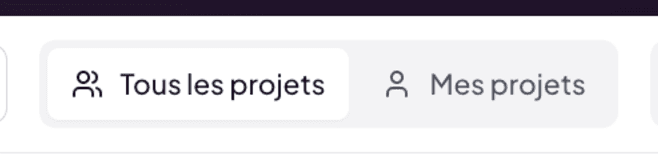
The All projects / My projects toggle is visible only when your account is:
- A master account that hosts inspector sub-accounts.
- An inspector sub-account linked to a master account.
On a solo account (single user, no sub-accounts), the toggle is absent — the distinction is meaningless.
Behavior of each option
- All projects — shows all projects visible for your role in the Lumos organization.
- My projects — restricts the list to those where you are the responsible inspector.
The filter applies to the current tab (Active or Archived) and combines with search, sort, and view.
Private vs Shared visibility
In a team, each project has a visibility state:
- Private — visible only to the responsible inspector.
- Shared — visible to other inspectors of the team.
The All projects toggle lets you also see Shared projects of other inspectors; My projects masks everything except yours.
Sharing happens within the inspector team only. Clients and third parties are never included in this sharing notion. To deliver a report to the client, see Chapter 9 — Delivery to the client.
Typical use cases
You are a senior inspector
You manage your direct clientele (My projects) but want to periodically see the activity of trainees or junior inspectors (All projects). Frequent switching, quick search.
You own a firm
You see all activity (All projects) to drive the pipeline, and you filter on My projects when managing your own active mandates.
You are a junior inspector
You stay mostly on My projects. All projects remains useful to observe how your senior colleagues structure their files.
Link with billing and team management
Project sharing in a team is linked to your Your Team configuration (chapter 2) and your Unlimited plan (chapter 2.5). For role and permission details, see Chapter 14 — Working as a team.