Delivery to the client — overview
Once your inspection is written and audited, Lumos offers a delivery mode that is both modern and aligned with the profession’s expectations: an interactive web report that you share with your client via a secure link, paired with a downloadable PDF built live from the report’s content.
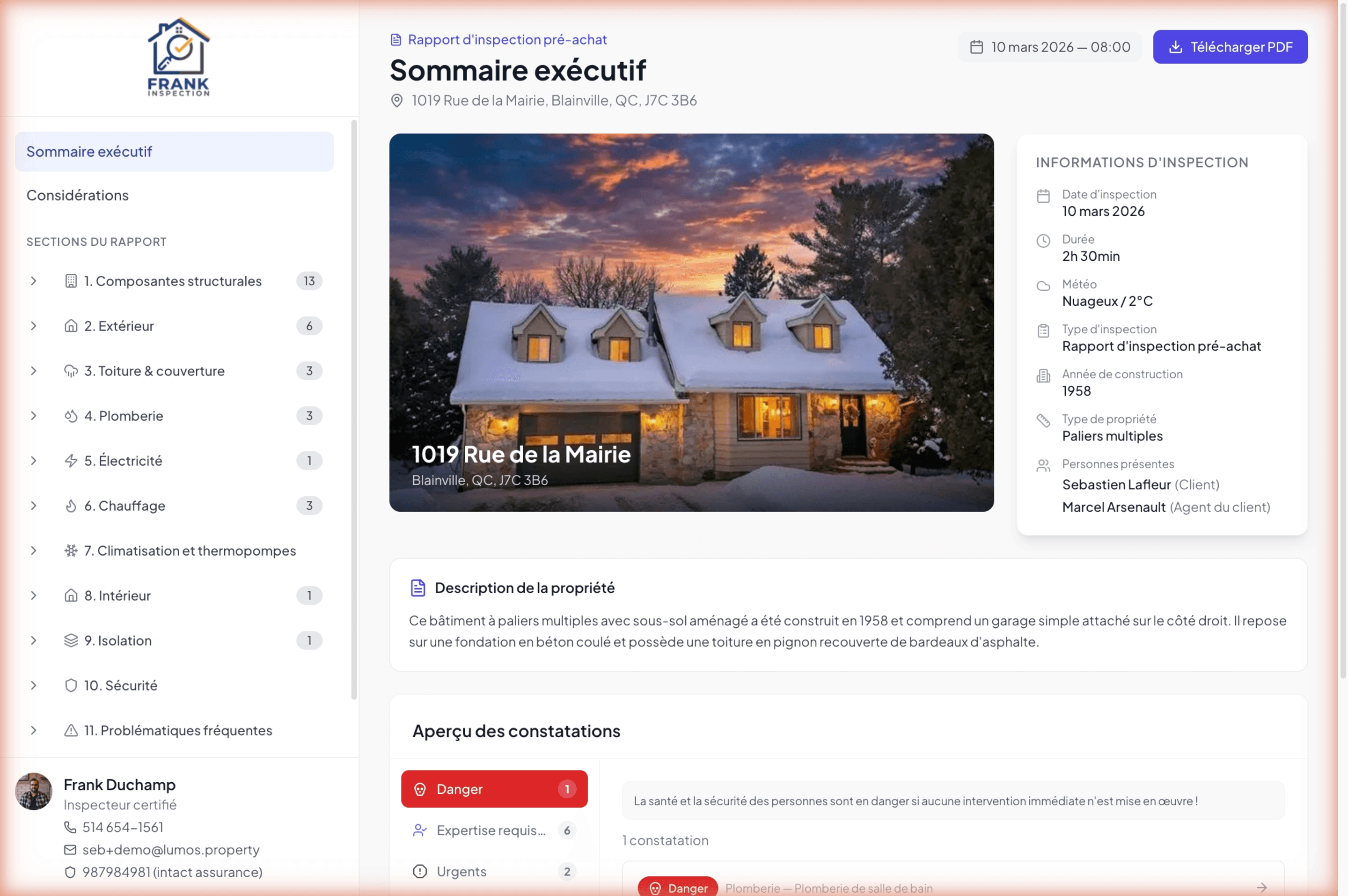
This page introduces the delivery logic. The following pages of the chapter detail each step.
The interactive report as the main deliverable
Lumos pushes the interactive report as the primary delivery format. It is a clickable web version of the report, navigable like a website, with your branding, your inspector contact details, and the property photo in the hero. Your client opens it from any device, without having to download a multi-megabyte PDF.
The interactive report presents content more effectively than a PDF: clear executive summary on the home page, navigation by section with narrative counters, zoomable photos, visual hierarchy of severities.
The PDF stays available
The PDF is not forgotten. Your client can download it in one click from the interactive report (the Download PDF button at the top). Lumos builds it live from the current report content, using the PDF settings you configured (density, photos per row, font, color, page breaks).
Useful for clients who like to print, who want a local copy, or who need to forward the report to a mortgage broker or a lawyer.
Secure access by link and code
Each inspection generates a unique link in the format inspector.lumos.property/myreport/<slug> plus an alphanumeric access code. The client must present both to open the report.
The link is permanent: it does not expire. Your client can return to consult their report months or years later.
One delivery per inspection
A project can contain multiple inspections (for example initial inspection and re-inspection). Each inspection has its own link and access code. You share each one separately, and your client uses the right link for the right visit.
Open tracking
Lumos emails you as soon as your client opens the report for the first time (provided the notification is enabled in Settings > Notifications). It is your signal to follow up or wait for questions.
See Open tracking and post-delivery follow-up.