Subscription — overview
Lumos offers plans suited to different inspector profiles: a Starter plan for testing or low volume, a Pro plan for regular practice, an Enterprise plan for larger inspection firms, and a Student plan free of charge for learners in AEC building inspection programs. This page summarizes the options and explains how and where to manage your subscription.
The three plans at a glance
Starter
No commitment, pay as you go. Three free inspections at account creation (to use within 3 months), then per-unit purchase of inspections ($10 each, or packs of 5 or 10).
This is the right choice for:
- Testing Lumos before committing.
- Practicing at low volume (a few inspections a month or less).
- Seasonal or irregular activity.
Pro
Unlimited inspection plan: $110/month or $1,100/year (about 16% savings on the annual). Automatic renewal.
This is the right choice as soon as you do more than one inspection per week — the break-even point against per-unit purchase is quickly reached.
Student
Free and unlimited for students enrolled in an AEC program in building inspection at a recognized institution. Free Pro access for up to 2 months after your program ends. Self-service signup on the pricing page.
See Student plan for full conditions.
Multi-inspector accounts (team)
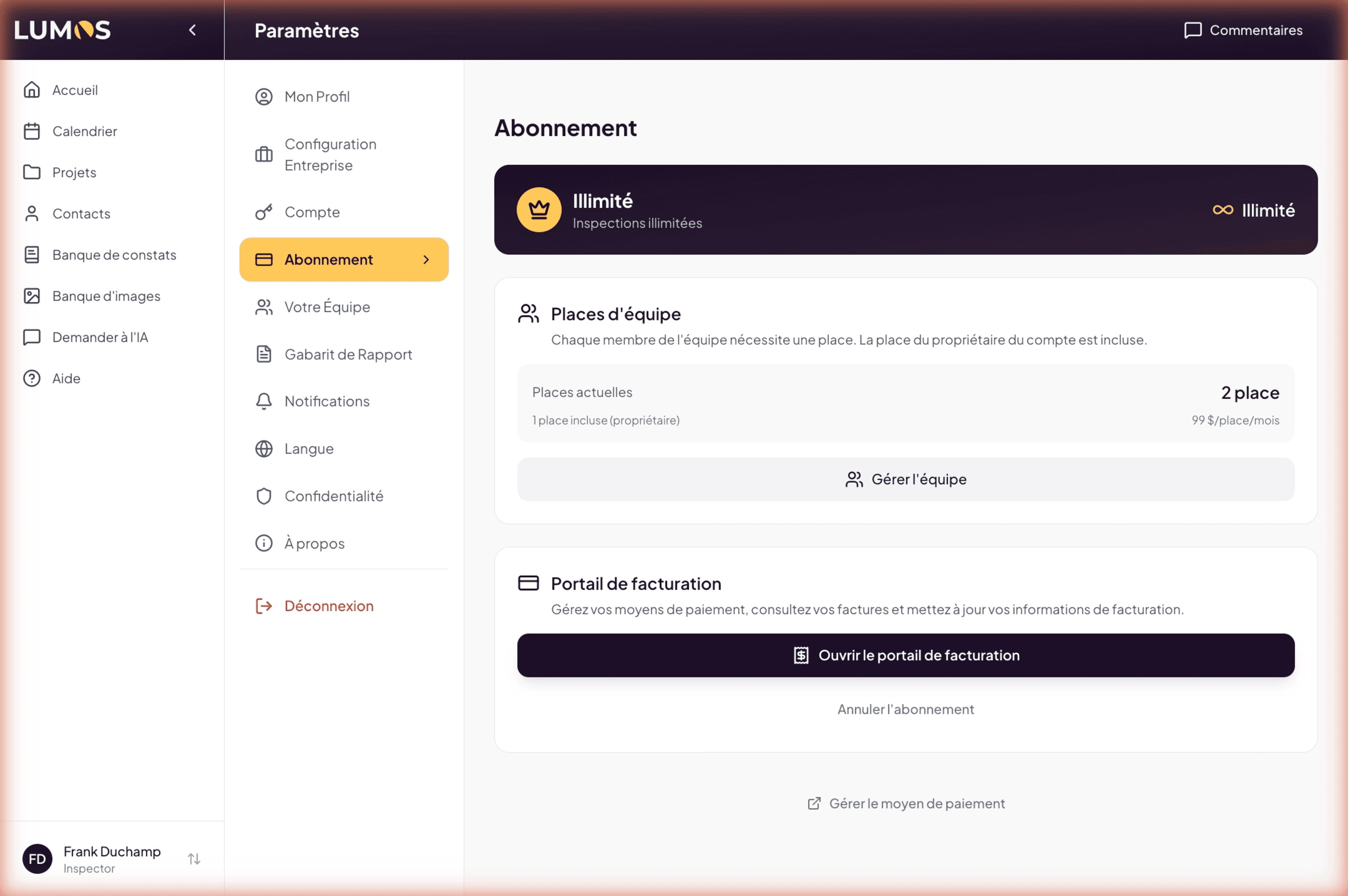
If you work as a team (a master Owner account with Inspector sub-accounts), additional seats are billed:
- $99/additional inspector/month on the Pro plan.
- $990/additional inspector/year.
Every team member gets unlimited use of the AI features (see below).
See Team chapter for member management.
AI features
All plans include unlimited use of the AI features — narrative suggestions, BNQ Compliance AI Review, voice note transcription — all types combined.
Payment platform: Stripe
Lumos uses Stripe to process all payments. Stripe is a recognized payment provider (United States) used by thousands of companies.
Concretely:
- Your credit card information is hosted by Stripe, not by Lumos.
- You manage your payment methods, invoices, history via the Stripe Billing Portal accessible from Lumos.
- You can update or change your card at any time.
See Manage your subscription for the procedure.
Where to manage your subscription
Everything happens in Settings > Subscription. There you find:
- Your active plan (Starter / Pro / Student).
- Your team seats (if applicable) with link to team management.
- The Open billing portal button toward Stripe.
- The Cancel subscription link.
How this section is organized
- Plans and pricing — Detailed price and limit table for each plan.
- Getting started with Lumos — Typical journey: 3 free inspections → choice between per-unit or Pro.
- Enterprise plan — For firms with custom integration, volume, or contract needs.
- Manage your subscription — Stripe portal, cancellation, renewal, payment failure.
- Student plan — Eligibility conditions, signup, and free access duration.
See also
- Lumos Terms of Use — Sections 4 and 5 — full legal detail of plans and billing
- Team chapter — member management and team seats