Navigating the bank
With several hundred narratives at your disposal, you need to find the right one fast. The bank page (/narratives-bank) keeps the filters, the list and the narrative’s fiche visible side by side.
Layout
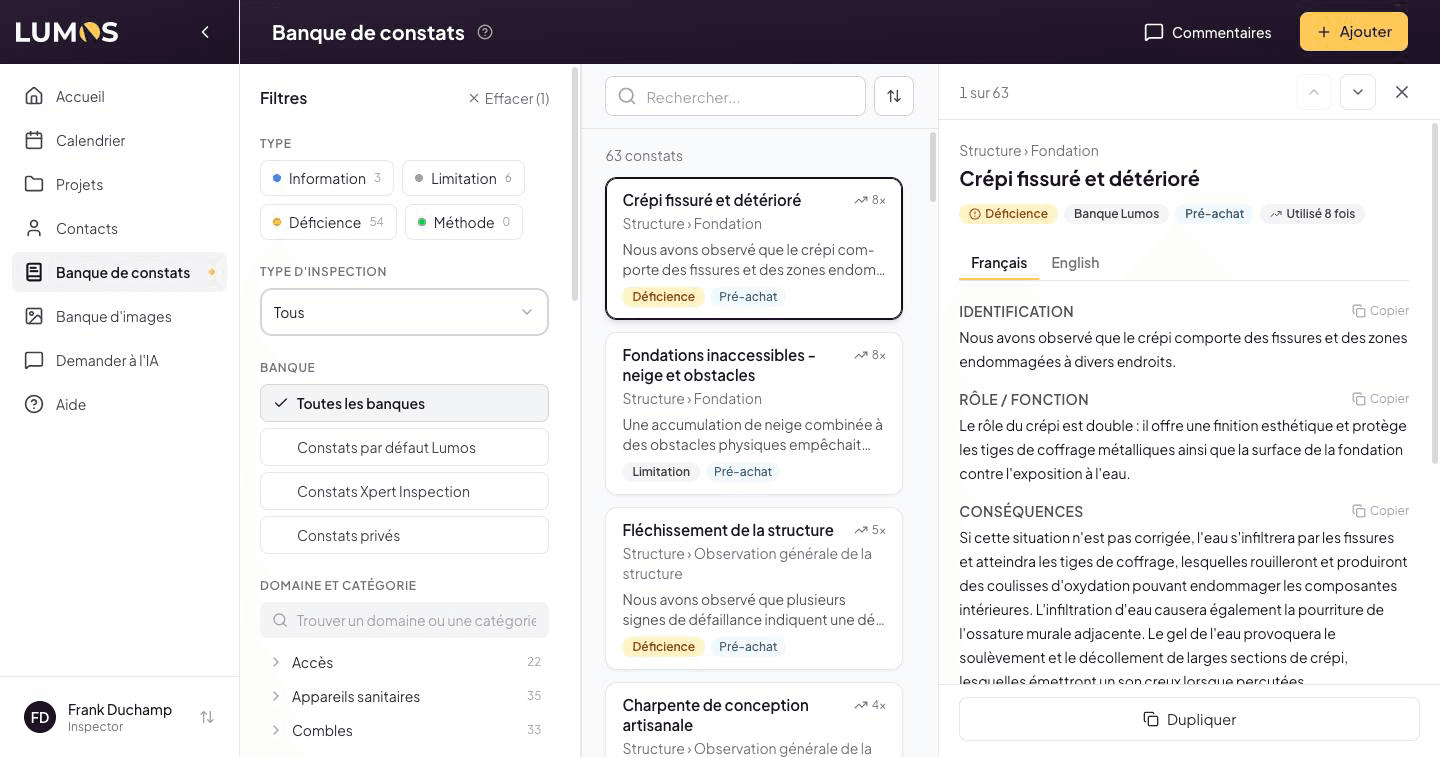
- Computer: three columns, with the filters on the left, the list in the middle and the narrative’s fiche on the right. Drag the border between two columns to widen them; Lumos remembers your widths. Close the fiche with the ✕ and the list takes the full width.
- Tablet: the main navigation shrinks to icons. The fiche opens in a panel on the right, over the list. Tap the dimmed area to close it.
- Phone: the Filters button (right of the search) opens the filters in a panel that slides up from the bottom of the screen; the number on the button shows how many filters are active. The fiche opens full screen, with a Back button.
Filters
Every filter is always visible in the left column. Each option shows how many narratives it would give with your other filters. The Clear (n) link at the top of the column removes them all at once.
Type
Coloured buttons: Information, Limitation, Defect, Method. You can select several at once, for example Limitation and Defect together. See The four narrative types.
Inspection type
A dropdown: All, Pre-purchase or Pre-reception. Pre-reception only appears if you have enabled that inspection type. See The two banks.
Bank
One choice at a time: All banks, Default Lumos Findings, [Your company] Findings, or Private Findings if you work in a team. See Narrative sources.
Domain and category
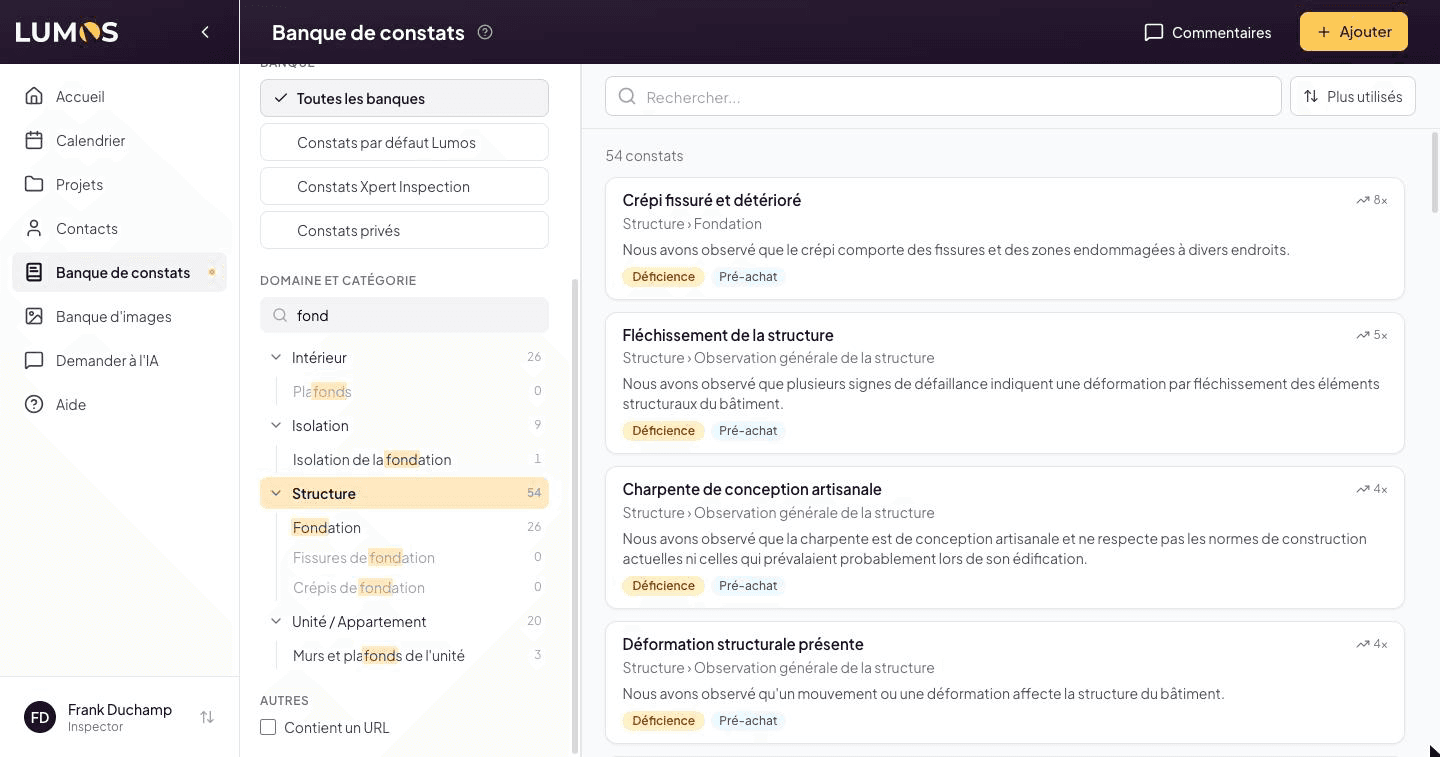
- The Find a domain or category field narrows the list as you type, ignoring accents. Matching categories appear right under their domain: click one to select it.
- Click a domain to select it: its categories appear right below. Click a category to narrow further, then click it again to go back to the whole domain.
- Domains with no result under your current filters are greyed out and moved to the end of the list.
Other
Contains URL keeps only narratives whose text contains a link.
Search and sort
The bar above the list holds the search and the sort button.
- Search looks in titles, in French and in English. Matching words are highlighted in the list titles.
- Sort offers Most used, A-Z and Recent. When the column is narrow, the button shows only its icon.
Most used
Most used ranks the list by your own usage: the narratives you place most often in your reports rise to the top. The counter only counts your uses, never other inspectors’, and works for Lumos narratives as well as yours.
- Each narrative you have already used shows its use count (e.g. “12×”) at the top right of its card.
- Never-used narratives follow, in the usual domain order.
- The sort applies within your filters: filter by Domain or Type and you get your favourite narratives for that topic.
This sort is on by default. Your choice is saved in your profile and also applies to the bank from the inspection editor and to the template editor’s picker.
A narrative card
Each card in the list shows:
- The title, plus the use count when Most used is on
- The Domain › Category path (e.g. Structure › Foundation)
- The start of the text, two lines at most
- The Type and Inspection type tags
The narrative open in the fiche has a dark outline. If nothing matches, a message appears with a button to clear the filters.
The list loads as you scroll: there are no more pages to click through.
A narrative’s fiche
Click a card to open its fiche. It shows:
- At the top, the narrative’s position in the list (e.g. “3 of 14”), arrows to move to the previous or next narrative, and the ✕ to close.
- The path, the title and the tags (type, bank, inspection type, use count).
- The Français and English tabs. Each text section (Identification, Role / Function, Consequences, Recommendation) has its own Copy button.
- The reference media: add photos or videos, or pick an image from the Image Bank.
- At the bottom, always visible: Edit, Duplicate and the red delete icon. See Edit, duplicate, delete.
Keyboard shortcuts
On a computer:
- / puts the cursor in the search.
- ↑ and ↓ move from one narrative to the next and open its fiche.
- Esc closes the fiche.