Ask AI from the editor
The inspection editor integrates the Lumos AI assistant at several strategic points. AI does not write your report for you — it saves you time on mechanical tasks so you stay focused on evaluation and judgment.
This page recaps where AI shows up in the editor and what it does in each spot. Use philosophy is covered in more detail in AI as accelerator, not replacement.
Property description
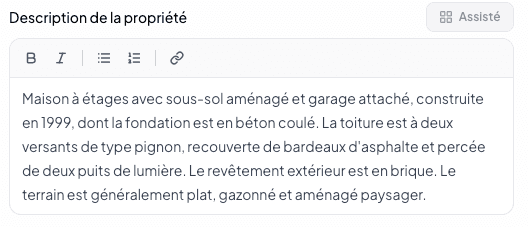
On the General Information page, the Property description field shows the Assisted and Enrich buttons above the editor.
- Assisted — AI writes a first description from the data already entered (property type, years, extension, context).
- Enrich — AI improves a text you have written, proposing more fluid or more precise rephrasings.
You validate, you adjust, you publish. The signature stays yours.
Narratives: rephrasing and proposals
When editing a narrative, AI can:
- Rephrase an overly technical or too terse text into French readable by a buyer.
- Suggest a recommendation aligned with the severity you chose.
- Propose an alternative phrasing when you are unsure about tone or assertion strength.
For narratives from the bank, the pre-formulated text is generally well-tuned — AI mostly intervenes on custom narratives you write on the fly.
Voice note transcription
Every voice note captured (from Lumos Capture or via the floating button) is automatically transcribed by AI. You see the transcribed text in To Review before validating it as a narrative. You can edit the transcription.
Transcription uses OpenAI Whisper. Audio consent and retention are handled in Settings > Privacy. See Privacy and data.
BNQ compliance audit
The analysis behind the BNQ compliance gauge (see The BNQ compliance gauge) relies on AI to spot omissions and inconsistencies as you write. Depending on your plan, the analysis is standard or advanced.
Usage
The AI assistant is included with every plan, with unlimited use. See Subscription.
Your data
Lumos does not use your reports to train its AI models without your explicit consent. Your observations remain yours. See AI and training policy.
See also
- AI as accelerator, not replacement
- The BNQ compliance gauge
- To Review — where transcriptions appear
- AI and training policy